Location Improvements
1. Updated location pages
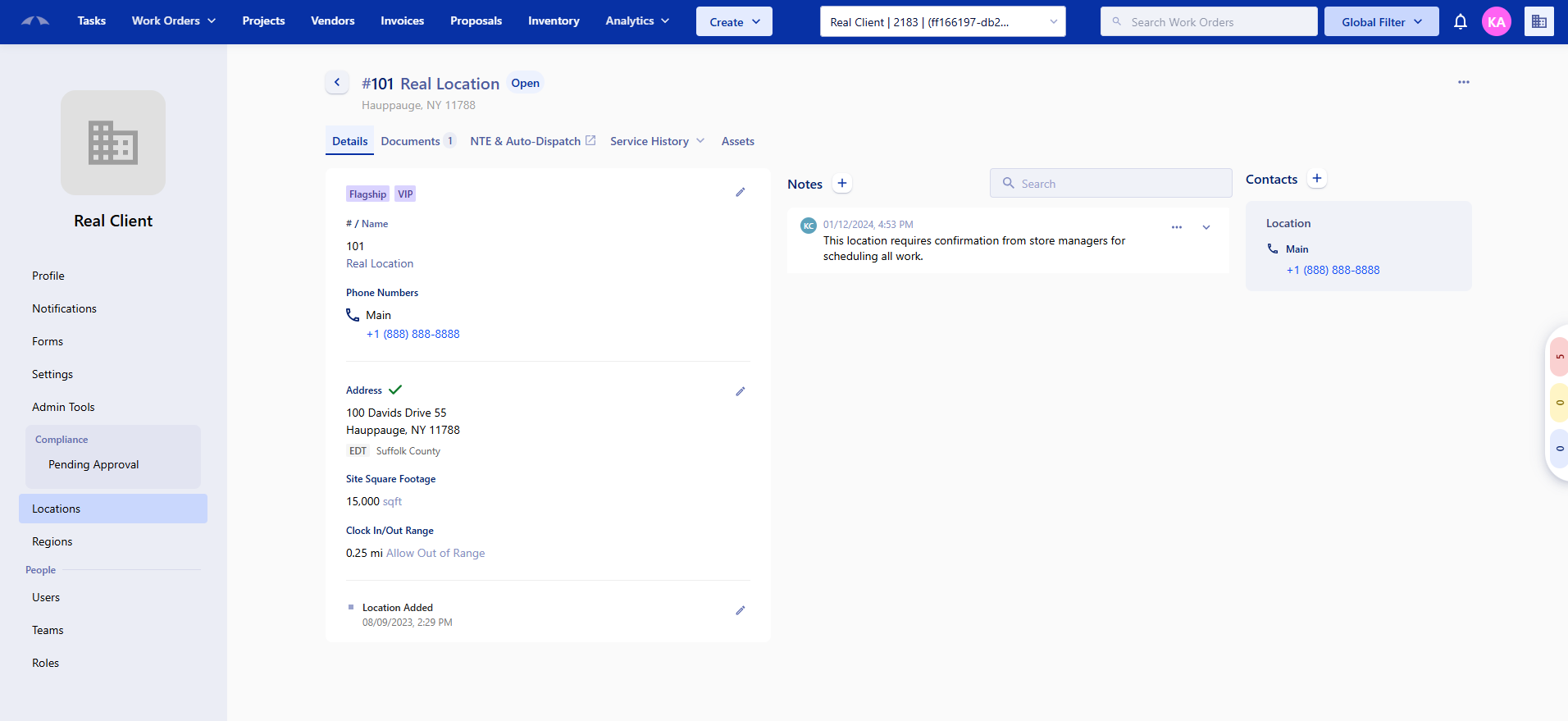
Location details pages have been redesigned. Fields that have no data will no longer clutter the page, only fields with actual values are shown.
2. Status is now Open or Closed (instead of Active)
Locations will now show as Open, Closed, or Inactive to give you a clearer picture of each site's current state.
3. New location type labels
Locations can now be tagged with clearer type labels like Affiliate, Corporate, Flagship, Union, VIP, or Warehouse. Your existing types have been carried over automatically. Custom labels can also be added per client.
4. Coordinates are now required (and easier to add)
When adding or editing a location, you'll now need to provide map coordinates. The good news: you can now drop a pin on a map, search by address, or enter them manually. A green checkmark means coordinates are set; a red icon means they're missing.
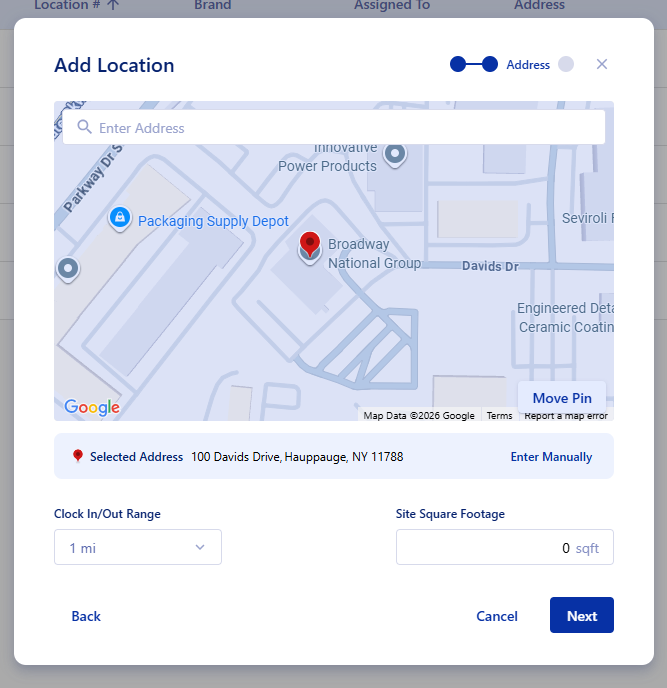
This indicator will appear on Location lists, Location details pages, and Work Order / Project pages. The column is not set onto the Location grid by default.
5. "Managed By" field for company locations
Company locations can now have a "Managed By" person assigned to them. Only active users will appear in this list. This field will connect to Inventory and Forms features in future updates.
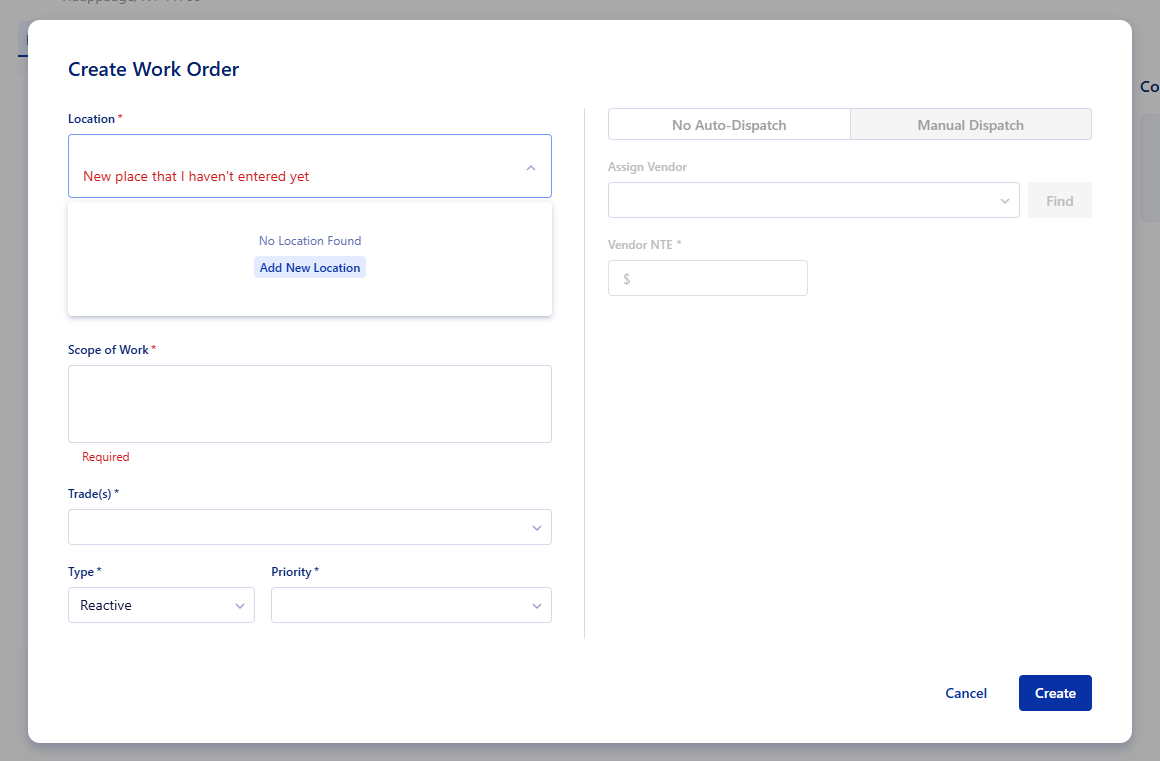
6. Add a location directly while creating a work order or project
If you're creating a Work Order or Project and the location you're looking for doesn't exist yet, you'll now see a quick link to add it on the spot.
7. Stricter phone number and zip code validation
Phone numbers must now be 10 digits with a valid area code. US zip codes must have at least 5 digits. If an old location has an invalid phone number saved, you may see an error when saving edits, just update the phone number to fix it.
8. New and simplified permissions
Some permissions have been renamed and consolidated to be easier to understand. If you had the old permissions, you'll automatically get the updated ones.
"Add/Edit/Delete Note" → now "Manage Notes"
"Edit Contacts" → now "Manage Contacts"
"Edit Overview / Edit Site Details / Edit Landlord Obligations" → now "Location - Manager"
Updated Create Project Form
Depends on the Location update above being turned on.
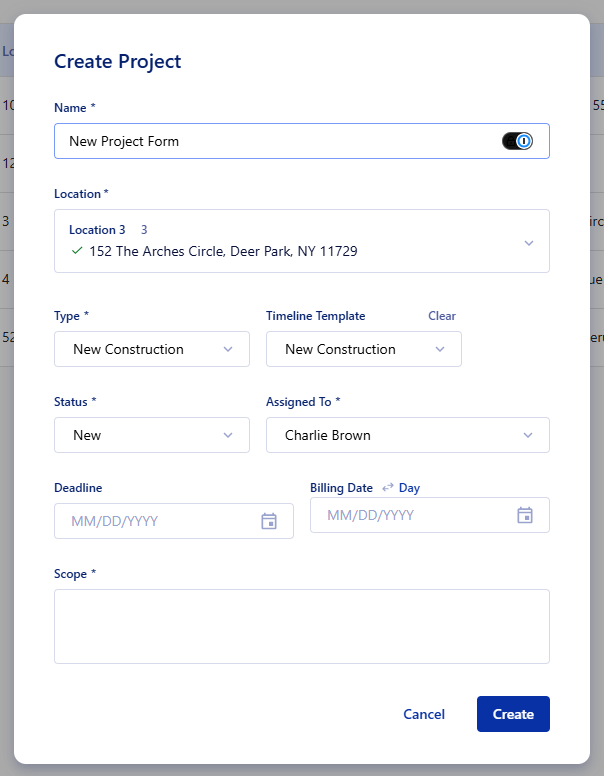
The "Create Project" window has a refreshed look. The "Source Job" and "PO" fields now only appear when relevant, specifically, when the project is for a client.
Document Previews .eml email files
New file type support.
You can now preview .eml files (email files) directly in the document viewer, just like PDFs and images. No need to download them first.
Was this article helpful?
That’s Great!
Thank you for your feedback
Sorry! We couldn't be helpful
Thank you for your feedback
Feedback sent
We appreciate your effort and will try to fix the article