When you create a work order, Umbrava uses AI to see if a similar one already exists. This helps avoid double billing, double dispatching, and wasted time. Lets break down how it works.
Table of Contents |
What is a "duplicate"?
A duplicate is a work order that looks like it might be the same job as the one you're about to create. Umbrava splits these into two types:
- Potential Duplicate: A work order that's still open or active somewhere in its lifecycle. This means the same job might already be in progress or waiting to be handled.
- Potential Recall: A work order that was recently marked complete. This usually means the work already happened, and the new request might actually be a callback for that same job (a "recall").
How we decide something is a duplicate
Umbrava looks at work orders tied to the same location, or the same asset if you picked one. From there, a match gets sorted into Potential Duplicate or Potential Recall based on these rules:
Potential Duplicate if:
- Has the same source work order or Purchase Order number (the client's own reference number for the job), OR
- Is similar in scope of work, type, and trades
- The work order is not completed/canceled
Potential Recall if:
- Similar work was completed recently
- Is currently in the Work Complete phase
How we search for a duplicate
- You fill out a work order (through the standard form or the AI Create Work Order flow) and click Submit.
- Umbrava checks for existing work orders at that location or asset.
- If nothing similar is found, your work order is created right away. No extra steps.
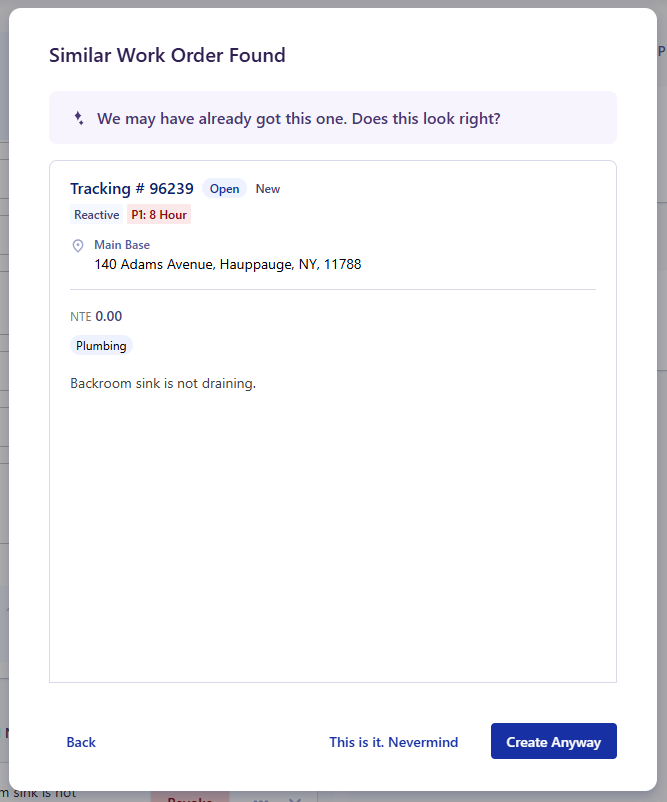
- If one or more matches are found, a Similar Work Order Found window opens showing one match at a time. If there's more than one, you'll see a counter (like 2 of 4) with arrows to flip through them.
- If the check takes longer than half a second, you'll see an "Analyzing the Data" screen with a Cancel option while Umbrava finishes looking.
You can always choose to create the new work order anyway. The alert is there to help you catch a duplicate, not to block you from doing your job.
Was this article helpful?
That’s Great!
Thank you for your feedback
Sorry! We couldn't be helpful
Thank you for your feedback
Feedback sent
We appreciate your effort and will try to fix the article